Detection Examples
03 / 04
YOLOE Segmentation › WebSocket › Inverse Kinematics
A vision pipeline that streams object coordinates straight into an inverse-kinematics solver. I fine-tune YOLOE-11 segmentation models on custom classes by drawing bounding boxes or typing text prompts, then export the weights to ONNX so the same model runs on a Raspberry Pi or any USB camera setup.
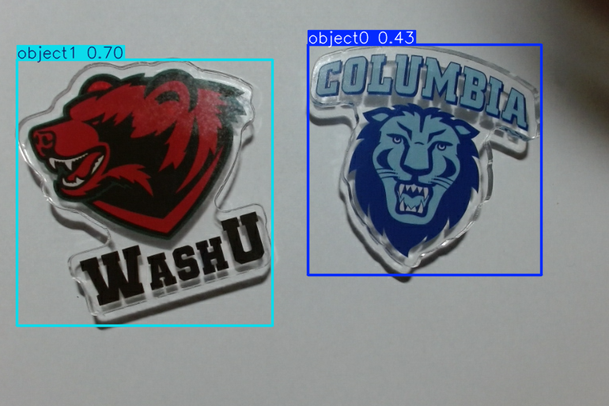
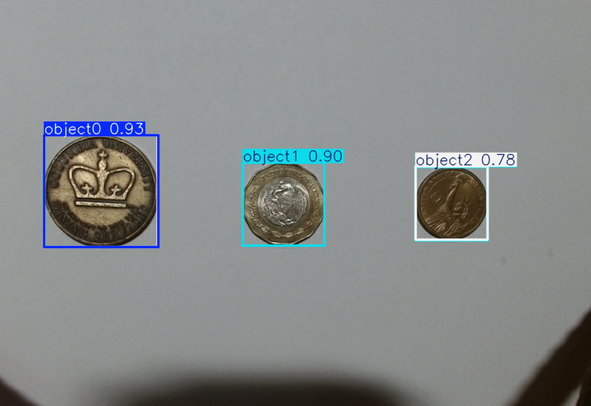
The robot reads each detection as a JSON packet over WebSocket: pixel center, normalized (0–1) position, and detection confidence. I tested the pipeline on multi-class coin recognition (Mexican pesos, Columbia dining tokens, US dollars) and on building and logo identification.
Training starts in the Ultralytics YOLOE-11L-Seg notebook. I label a custom class by drawing a few bounding boxes or by passing a short text prompt, fine-tune for a handful of epochs, and export the weights to ONNX at 640 px. The same file then runs on a desktop GPU or an ARM CPU with no code changes.
At runtime, OpenCV pulls frames (Picamera2 on the Pi, plain USB camera elsewhere) and the Ultralytics ONNX runtime handles inference at a 0.2 confidence threshold. Each detection becomes a JSON packet on WebSocket port 8765: pixel center, normalized (0–1) position, and confidence. A small browser dashboard subscribes to the same socket to show what the model sees. The robot consumes the normalized stream and feeds it into a continuous IK control loop, so the controller never depends on camera resolution.